
Upgrade to PKI Without Replacing Your Access Control System
TrustPoint Readers authenticate smart cards at the door. With a conventional controller and credential setup, your existing physical access control system (PACS) can continue to manage access.
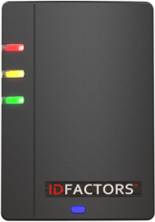
The reader verifies the badge. Your system decides who gets in.
Public key infrastructure (PKI) lets the reader verify that a smart card holds the private key associated with its certificate. With a TrustPoint Reader, that check happens at the door, so an existing controller can keep processing the credential identifier.
-
The card signs a challenge
The reader sends a fresh challenge. The smart card signs it with the private key it holds.
-
The reader verifies the response
The TrustPoint Reader checks the signed response to confirm that the card holds the matching private key. A copied badge number alone cannot pass that check.
-
The controller applies your rules
After successful authentication, the reader sends the configured identifier over Wiegand or OSDP. Your access control system uses its existing rules to decide whether to grant access.
What can stay and what needs to change?
- Controller and software
- Keep your existing controller and PACS software if the panel supports the reader interface and the system accepts the identifier the reader sends. Confirm the controller model, firmware and configured format with your integrator.
- Readers and wiring
- Install a TrustPoint Reader at each door you upgrade. Check the mounting, power and cabling for the model and interface you choose. If you plan to use OSDP Secure Channel, confirm support and configuration on both ends. See reader specifications.
- Cards and enrollment
- Use compatible PKI credentials and configure the reader to trust their issuer. If your current badges only supply a legacy identifier, issue compatible smart cards. With TrustPoint Legacy Format cards, you may be able to preserve existing cardholder records by matching the identifiers already enrolled in your PACS.
Start with one representative door
Choose a door with the same controller, wiring and badge population as the doors you plan to upgrade next. Use the pilot to verify both the credential check and the access decision.
- Record the existing setup. Identify the PACS platform, controller model and firmware, reader interface, card types, and credential format in use.
- Set the authentication requirement. Choose card only, card plus PIN, or card plus PIN and biometric based on the facility’s requirements. For federal PIV deployments, consult NIST’s guidelines for using PIV credentials in facility access.
- Confirm credential handling. Check issuer trust, identifier mapping, and how your configuration handles expired, revoked and deactivated credentials.
- Test the outcomes. Verify that authorized users get in, untrusted credentials fail authentication, and authenticated users without door permissions stay locked out. Check that access events reach the PACS as expected.
Check whether a retrofit fits your site
Tell us which cards, controller and PACS you use today. We can help identify a TrustPoint Reader configuration to evaluate at your first door.
Discuss your retrofit Compare TrustPoint Readers